
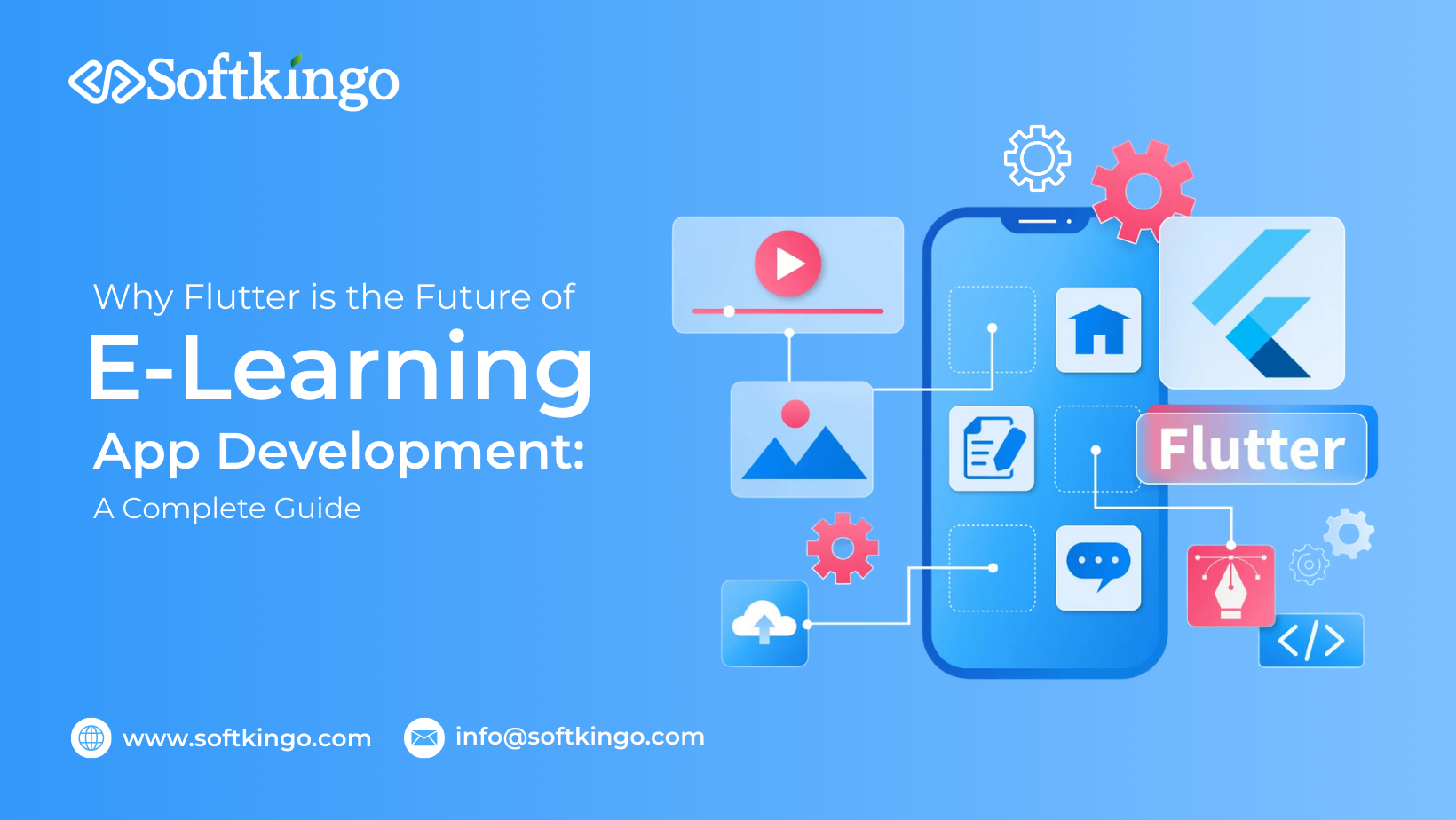
Why Flutter is the Future of E-Learning App Development: A Complete Guide
Gone are the days when the only way to learn was by physically visiting a school or an educational institution. The education landscape has transformed dramatically—especially since the Covid-19 pandemic pushed students, teachers, and professionals toward digital learning.
Today, learning is literally at our fingertips. Whether it’s mastering French, preparing for competitive exams, or acquiring new job skills, people are turning to their smartphones to level up their knowledge. And as technology continues to evolve, the e-learning industry is booming like never before.
In fact, industry reports predict that the online education market will reach $1.72 trillion by 2026—a number that speaks volumes about the future of digital education.
If you want to tap into this explosive growth, an e-learning app development is one of the smartest business decisions you can make right now. And what’s the best technology for it?
Let’s talk about Flutter—Google’s powerhouse framework that has taken modern app development by storm.
What is Flutter?
Flutter is a free and open-source SDK for creating cross-platform mobile apps that were first made available by Google. The platform has grown with the release of Flutter 2, enabling developers to create apps for Windows, the web, Android, and iOS. This implies that developers may now utilize Flutter to create stunning and engaging web applications with a single codebase in addition to creating native applications.
The feature to create apps for both iOS and Android through a single codebase is one of Flutter’s most notable advantages. Because of this, developers may create code only once and have it run on many other platforms, significantly cutting down on development time and effort. Developers may view real-time changes with Flutter’s hot reload capability. This facilitates rapid iterations and bug fixes while also accelerating the development process. Google created the Dart programming language, which Flutter uses. With features like garbage collection, strong typing, and asynchronous programming, Dart is simple to learn, especially for those already familiar with JavaScript.
Since its launch, Flutter has continuously improved its technology, broadening its scope beyond the creation of mobile apps. The Flutter framework can now develop user interfaces for many platforms and handle desktop and web applications. It is a dependable and effective solution for creating cross-platform apps, which is why many developers and companies choose it.
According to specific reliable statistics, about 2 million developers regularly use Flutter.According to the Statista poll on cross-platform mobile frameworks from 2019 to 2023, Flutter is the most popular framework, with over 46% of developers using it in 2023.
The Advantages of Using Flutter for Mobile App Development
Cross-Platform Development
With Flutter, developers can get a singel codebase to function flawlessly on desktop, web, iOS, and Android platforms. With this unified strategy, businesses can launch applications more quickly while preserving uniform functionality and look across all platforms, drastically reducing development time and expenses.
Hot Reload Feature
With Flutter’s hot reload feature, developers can view real-time updates as they make changes to the code. This feature expedites the testing and debugging procedures by rapidly reflecting changes without requiring an application restart. Cutting down on iteration time improves the efficiency and intuitiveness of the development process.
Rich UI Components
With its vast collection of Material Design and Cupertino widgets, Flutter guarantees a native appearance and feel on iOS and Android. Because these components offer a great degree of customization and responsiveness, developers can produce aesthetically pleasing and intuitive designs that are suited to certain requirements.
High Performance
Flutter, powered by the Dart programming language, guarantees top performance with fluid 60fps animations and low latency. Applications run more quickly and efficiently thanks to its ahead-of-time (AOT) compilation, which optimizes code execution.
Strong Community and Ecosystem
A flourishing developer community actively supports Flutter’s expansion. A wealth of libraries, plugins, and resources makes development easier and spurs creativity while guaranteeing developers easy access to support and solutions.
Backed by Google
Regular updates, long-term support, and smooth connections with Google services like Firebase are all advantages of Flutter as a Google-supported framework. This guarantees developers access to a dependable app development ecosystem and the newest technologies.
Support for Web and Desktop Apps
Flutter supports desktop and online applications, expanding its capabilities beyond mobile devices. Because of its adaptability, companies can effectively target various user populations, making it perfect for developing cross-platform solutions for a range of use cases.
How Flutter Stands Out Compared to Other Frameworks
Flutter vs. React Native
React Native employs JavaScript, which is dynamically typed, whereas Flutter uses Dart, a statically typed language. For quicker performance, Dart makes ahead-of-time (AOT) compilation possible. Flutter produces user interfaces (UI) using its engine, which ensures smoother animations and consistent performance across platforms, unlike React Native, which bridges native components.
Flutter vs. Xamarin
While Flutter is fully open-source, Xamarin uses a dual licensing approach that requires commercial licenses for some enterprise functionality. In addition, compared to Xamarin, Flutter has a bigger, more vibrant community that offers a wealth of tools and fosters innovation more quickly.
Flutter vs. Native Development
Flutter’s single codebase for various platforms makes it far faster and less expensive to create with than native development. Flutter streamlines the process without sacrificing performance or user experience, while native development necessitates distinct teams and longer timetables for every platform.
What Is an Interactive E-Learning App?
An interactive e-learning app is a mobile application designed to make learning easier, more flexible, and more engaging. These apps allow users to take online courses, join virtual classrooms, complete assessments, and access video or audio lessons—all from their phones or tablets.
Apps like language-learning platforms, Learning Management Systems (LMS), online classroom tools, exam prep apps, and educational apps for kids all fall under the e-learning category.
Benefits of Developing an E-Learning App
- Learn anytime, anywhere:With an e-learning app, learners aren’t tied to fixed classroom schedules. They can attend sessions, save lectures, and revisit lessons whenever it suits them.
- Unlimited learning opportunities:Users can enroll in as many courses as they want. Whether it’s French, geometry, coding, or art—there’s no cap on how much they can learn.
- Higher engagement levels:Interactive elements like quizzes, videos, gamification, and progress tracking make learning more engaging than traditional classroom methods.
- Cost-effective education:E-learning apps often provide a more affordable learning model compared to physical schools or coaching centers, making education more accessible to everyone.
Why Use Flutter for E-Learning Application Development?
Many developers consider Flutter one of the best frameworks for building e-learning applications—and for good reason. Let’s take a look at what makes Flutter such a strong choice for creating educational apps.
1. Powerful Widgets
Flutter is built around widgets, which are the building blocks of every screen you see in an app. It offers a huge variety of customizable widgets that help developers create intuitive, user-friendly, and visually appealing interfaces. This makes it easier to design attractive and engaging e-learning experiences.
2. Beautiful Layouts
Flutter also provides layout widgets that help developers create clean, well-structured, and aesthetically pleasing app designs. Since everything—from images and text to icons—is a widget in Flutter, the framework makes it simple to build polished interfaces that elevate the overall user experience.
3. Smooth Navigation and Routing
Navigation is a key part of any learning app, and Flutter handles it effortlessly. Developers can define routes that guide users from one screen—or widget—to another, ensuring smooth transitions and a seamless journey through the app’s content.
4. Stunning Animations
Animations play a big role in making an app feel lively and modern. With Flutter’s built-in animation capabilities, developers can incorporate smooth, visually appealing animations that enhance the learning experience and make the app more interactive and enjoyable to use.
5. Advanced UI Capabilities
Flutter is known for enabling advanced, high-performance user interfaces. It supports rich features and smooth interactions that give your e-learning app a competitive edge. Users appreciate Flutter-powered apps for their fast performance, clean design, and engaging user experience.
A Comprehensive List of Features to Add to an E-Learning App
Once you’ve decided to build your education app using Flutter, the next big step is determining which features will make your platform truly useful, engaging, and competitive. A great e-learning app should simplify learning, motivate students, and support teachers with helpful tools. Below is a detailed breakdown of the must-have features for a successful e-learning application.
1. Social Interactions (Social Login & Sharing)
Allowing users to sign up using social accounts such as Google, Facebook, LinkedIn, or Apple ID dramatically improves the onboarding experience.Instead of filling out long registration forms, users can get into the app in seconds.
Why it's important:
- Reduces friction during sign-up
- Increases conversions and user retention
- Allows easy content sharing within learner communities
- Helps users engage by commenting, liking, or discussing topics
2. User Profiles
User profiles help personalize the learning journey. Allow users to create and customize their own profiles with details like:
- Age
- Gender
- Interests
- Preferred subjects
- Learning goals
- Skill levels
Why it's important:
- Builds a personalized learning experience
- Helps the app recommend courses based on user interests
- Gives learners a sense of identity and belonging within the app
- Teachers can better track student progress
3. Advanced Search Bars & Filters
E-learning platforms often have hundreds of courses. A powerful search tool ensures users find the right course quickly.
Key filters may include:
- Category (language, math, coding, etc.)
- Difficulty level
- Course duration
- Instructor
- Price
- Ratings
Why it's important:
- Saves users time
- Makes navigation effortless
- Improves user satisfaction and keeps them engaged
- Increases course discovery and sales
4. Payment Gateway Integration
A smooth payment experience is essential if you're offering paid courses. Integrate popular and secure payment gateways such as:
- Stripe
- PayPal
- Razorpay
- Apple Pay / Google Pay
- Credit/Debit Cards
- UPI (region-specific)
Why it matters:
- Helps users purchase courses without leaving the app
- Increases trust with secure transactions
- Multiple payment options encourage more conversions
- Simplifies subscription-based learning models
5. Push Notifications
Push notifications are one of the best ways to keep learners engaged and informed. Use them to notify users about:
- New course uploads
- Assignment deadlines
- Upcoming live sessions
- Course completion updates
- Discounts and offers
- Important announcements
Why it's essential:
- Boosts user retention
- Encourages users to return to the app
- Enhances real-time communication
- Promotes new content effectively
6. Learning Analytics Dashboard
A personalized analytics dashboard motivates learners and gives them a visual overview of their progress.
What it should show:
- Completed lessons
- Time spent learning
- Certificates earned
- Tests completed
- Learning goals
- Progress graphs
- Strengths and weaknesses
Benefits:
- Helps learners track their improvement
- Encourages consistency and self-assessment
- Makes learning more rewarding and measurable
- Helps parents or teachers monitor student performance
7. Accessible Learning Materials
A great e-learning app should provide all study materials in one place. This may include:
- Video lectures
- Audio lessons
- PPTs and PDFs
- E-books
- Recorded classroom sessions
- Text-based course content
- Quizzes and assignments
- Downloadable resources
Why it matters:
- Supports different learning styles
- Makes content accessible anytime and anywhere
- Enhances the quality of education
- Offers flexibility for self-paced learning
8. Cloud Integration & Cross-Platform Sync
Cloud integration ensures that all user data is stored securely and can be accessed across multiple devices.
What this enables:
- Syncing recorded lectures
- Saving notes
- Accessing completed test records
- Storing assignments and resources
- Real-time updates between devices
Benefits:
- Improves app reliability
- Provides seamless user experience
- Reduces data loss
- Supports learning on the go
9. Test-Making Tools for Teachers
Give teachers the power to create, customize, and distribute tests. Useful test-creation features include:
- Multiple-choice questions
- True/false questions
- Fill-in-the-blanks
- Assignments
- Automated scoring
- Scheduled quizzes
- Randomized question generation
Why it's crucial:
- Saves teachers time
- Enhances the evaluation process
- Helps monitor student progress accurately
- Enables personalized and adaptive learning paths
10. Live Sessions & Virtual Classrooms
Live learning dramatically improves student engagement. Add features like:
- Live video classes
- Real-time chat
- Voice discussions
- Screen sharing
- Whiteboard tools
- Raise-hand interactions
- Attendance tracking
Benefits:
- Replicates a real classroom experience
- Makes learning interactive and collaborative
- Helps students receive instant answers and feedback
- Encourages participation and group learning
11. Gamification Elements
Gamification keeps learners motivated and reduces boredom—especially for young users.
Possible elements include:
- Points & badges
- Leaderboards
- Streaks
- Rewards for completing lessons
- Level progression
- Challenges and milestones
Why it works:
- Increases motivation
- Makes learning fun and engaging
- Enhances retention
- Encourages completing more lessons
12. Interactive Quizzes & Assessments
Interactive learning elements help users reinforce their knowledge and test their understanding.
Features to include:
- Instant feedback
- Explanations for right/wrong answers
- Time-based quizzes
- Assignments
- Peer assessments
- Scorecards and certificates
Benefits:
- Makes learning more active
- Helps track comprehension
- Provides insights for both learners and teachers
- Enhances knowledge retention
A Step-By-Step Guide to Developing an E-Learning App
Creating an e-learning app is an exciting opportunity, but it requires thorough planning, strategic execution, and attention to detail. The following step-by-step guide will help you build a successful educational platform that engages learners and stands out in a competitive market.
1. Define the Concept and Purpose
The first step is to clearly define the vision and purpose of your e-learning app. Ask yourself questions such as:
- Who is your target audience? (Students, professionals, hobby learners, or corporate users)
- Who are your competitors, and what do they offer?
- Which e-learning niche or subject area do you want to focus on?
- What problem is your app solving, or what unique value does it provide?
Answering these questions will help you set clear objectives, understand your audience, and build an app tailored to their needs.
2. Research the Market
Conduct thorough market research to identify trends, gaps, and opportunities. Analyze competitors’ apps:
- Evaluate their features, strengths, and weaknesses
- Look at user reviews to understand pain points
- Identify areas where your app can offer a better or unique experience
This research helps you position your app effectively and develop features that make it stand out in the crowded e-learning space.
3. Choose the Right Platform
Decide whether your app will be available on Android, iOS, or both. Here, Flutter becomes highly advantageous:
- Build a single codebase that works across multiple platforms (Android, iOS, and even Windows)
- Reduce development time and costs
- Maintain consistent performance and user experience across devices
Choosing the right platform early on ensures your app reaches the intended audience efficiently.
4. Create a Detailed Specification Document
Before development begins, prepare a comprehensive specification document that serves as your project roadmap. Include:
- App features and functionalities
- UI/UX design elements and user flow
- Layouts, color schemes, and branding guidelines
- API and third-party integrations
This document ensures alignment among developers, designers, and stakeholders and minimizes confusion during development.
5. Find the Right Tech Partner
Partnering with a skilled development team is critical, especially for Flutter-based apps. Look for a company with:
- Proven experience in Flutter app development
- Knowledge of the education sector and e-learning trends
- A team of developers, designers, and QA specialists
- Modern infrastructure, tools, and resources
- A portfolio of successfully delivered projects
The right tech partner will help turn your vision into a scalable, high-quality app while keeping timelines and budgets on track.
6. Develop the MVP (Minimum Viable Product)
Before building the full app, create a Minimum Viable Product (MVP)—a simplified version with core features.
Benefits of an MVP:
- Test your app concept with real users
- Collect feedback to improve features
- Identify necessary enhancements before full-scale development
- Reduce development risk and save costs
An MVP ensures that you validate your idea and create a product that resonates with users.
7. Use Feedback & Begin Full-Scale Development
Once you gather feedback from the MVP, start the full-scale app development process:
- Front-end development: Build the user interface, screens, and interactive elements
- Back-end development: Set up servers, databases, and APIs for smooth functionality
- UI/UX design: Focus on intuitive navigation, accessibility, and visual appeal
- Quality Assurance (QA): Conduct rigorous testing to identify bugs, security issues, and performance problems
Continuous testing during development ensures a smooth, reliable, and high-quality user experience.
8. Launch the App in the Market
After completing development and testing, deploy your app to app stores:
- Launch on Google Play Store and Apple App Store
- Optimize your app listing with relevant keywords, screenshots, and descriptions
- Plan marketing campaigns to attract early users
- Implement App Store Optimization (ASO) to improve visibility and rankings
A well-planned launch strategy helps you gain traction quickly, attract your target audience, and achieve early success.
How to Monetize the E-Learning App
Monetization is a key factor in making your e-learning app sustainable and profitable. Choosing the right strategy depends on your target audience, content type, and business goals. Here are the most effective ways to generate revenue from an e-learning app:
1. Premium Content
One of the most common approaches is offering premium, high-value content. This can include:
- Advanced courses or tutorials
- Exclusive video lectures or webinars
- Certification programs
- Downloadable study materials or e-books
Users pay to access this content, providing a direct revenue stream. You can also combine free content with premium modules to attract new users while encouraging them to upgrade for additional benefits.
2. Subscription Model
A subscription-based model allows users to pay periodically—weekly, monthly, or yearly—for unlimited access to your app’s content.
Benefits of subscriptions:
- Provides a steady and recurring revenue stream
- Increases user retention, as subscribers are more likely to return regularly
- Enables tiered plans (basic, standard, premium) to cater to different needs
You can also offer trial periods or freemium models to attract users before converting them into paying subscribers.
3. Advertising
Monetizing through ads is another popular option, especially if your app has a large user base. Options include:
- Banner ads
- Interstitial ads
- Sponsored courses or content
- Video advertisements
It’s important to maintain a balance so that ads do not interfere with the learning experience. Ads should be relevant and non-intrusive to keep users engaged.
4. Partnerships with Educational Institutes
Collaborating with schools, colleges, coaching centers, and other educational institutions can open new revenue opportunities.
- Institutes can offer their courses through your platform
- You earn a commission or revenue share for every course enrollment
- Enhances credibility and brings diverse, high-quality content to your app
This model is particularly effective for niche learning apps or platforms focused on professional certifications.
5. Corporate Training
Corporate training is a lucrative way to monetize e-learning apps, especially if your platform provides skill development, professional courses, or compliance training.
- Companies pay for customized training programs for employees
- Corporate clients often provide higher fees and long-term contracts
- Enables you to create enterprise-level solutions and dashboards for tracking employee progress
This approach can be combined with B2C offerings, allowing you to serve both individual learners and organizations.
Tech Stack for E-Learning App Development
When building an e-learning app, choosing the right technology stack is crucial for ensuring smooth performance, scalability, and a seamless user experience. Since you’ve opted for Flutter as your front-end framework, you already have a strong foundation for creating a cross-platform, visually appealing, and interactive app. However, the front-end is just one part of the puzzle. You also need to carefully select technologies for your back-end, database, cloud storage, video streaming, and payment processing. Here’s a breakdown of the recommended tech stack components:
1. Back-End
The back-end is the engine of your app. It handles user authentication, content management, API integration, analytics, and all server-side processes. Popular options include:
- Node.js: Great for building scalable, real-time applications. Ideal for chat features, live classes, and fast API responses.
- Django: A Python-based framework known for its security, speed, and rapid development capabilities. Excellent for structured and data-heavy apps.
- Laravel: A PHP framework offering robust features for building reliable and maintainable back-ends.
- Firebase: Provides a serverless back-end solution with real-time database, authentication, cloud messaging, and analytics. Particularly useful for MVPs or small-to-medium apps.
2. Database
Your app’s database stores course content, user profiles, progress tracking, and assessments. Depending on your needs, you can choose:
- MySQL: A widely used relational database, ideal for structured data and complex queries.
- MongoDB: A NoSQL database suited for flexible, unstructured data storage and scalability.
- PostgreSQL: A powerful relational database with advanced data management features.
- Firestore: Firebase’s cloud-hosted NoSQL database that supports real-time updates and synchronization across devices.
3. Cloud Storage
Cloud storage ensures that large files such as videos, PDFs, and images are stored securely and accessible anytime. Options include:
- AWS (Amazon Web Services): Offers S3 storage, server hosting, and scalable cloud solutions.
- Google Cloud: Integrates easily with Firebase, offering storage, analytics, and AI-powered services.
- Azure: Microsoft’s cloud platform with reliable storage, security, and enterprise-grade solutions.
4. Video Streaming
Video content is essential for most e-learning platforms. For streaming lectures, live classes, and recorded sessions, consider:
- Vimeo API: Offers high-quality video hosting and streaming services.
- AWS IVS (Interactive Video Service): Scalable solution for live streaming and real-time interactivity.
- Agora: Real-time video and audio SDK, perfect for live classes, virtual classrooms, and interactive sessions.
- Zoom SDK: Integrates Zoom’s video conferencing functionality directly into your app.
5. Payment Processing
If your app will offer paid courses or subscriptions, integrating a secure payment system is critical. Common options include:
- Stripe: Provides robust payment processing, subscription management, and international payment support.
- Razorpay: Popular in India, supports multiple payment methods including cards, UPI, and wallets.
- PayPal: Widely recognized and trusted globally for secure online payments.
Conclusion: Partner with the Right Development Team
Flutter offers a powerful, cost-effective, and future-ready approach to e-learning app development. However, the success of your app doesn’t depend on technology alone—it also depends on choosing the right development partner.
If you’re planning to build a modern, scalable, and engaging e-learning application, Softkingo is a trusted choice. With expertise in Flutter development and a deep understanding of e-learning solutions, Softkingo helps businesses transform their ideas into high-quality digital learning platforms tailored to their goals.
Get in touch with Softkingo today to discuss your e-learning app idea and take the first step toward building a successful education solution.
Was this article helpful?
Current mood: Okay
Written by Ansh Raj Singh